savanna
8 October 2024
Creating a Review Task
- Always create the review task within the “Internal” list under the client’s Basecamp
Title
- Title the task “Review- [insert task]”
- Example: if the main task is titled “Solterra Trifold Edits”, the review task should be named “Review- Solterra Trifold Edits”
Assigned To
- Tag Alex, the Project Manager, the primary Designer/Writer depending on if you need Copy or Design review (or Secondary if you are primary).
- Copy review should be done on anything with multiple sentences (unless it was provided by a SCAD writer directly).
- Design review should be done on anything that is not text-only (even if it was a previously approved design with new copy).
Due On
- Unless there is a tight deadline, 1-2 days is a good window for a review timeline.
Notes
- Start with the link to the main task, then a file path for any assets
- Paste the file/pdf/image that you need review on (mockups are welcome!)
- Add any questions/comments you may have for the internal SCAD team to answer
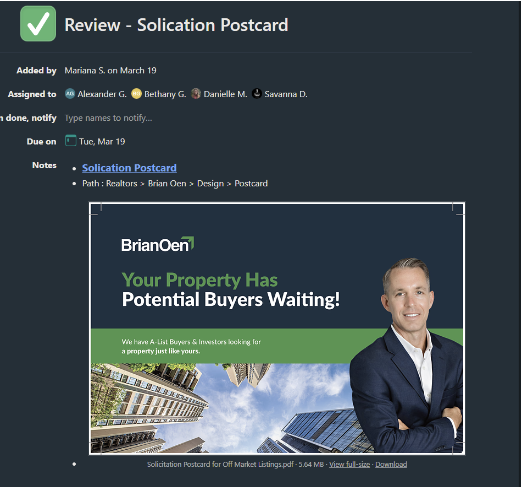
Example
Example Image